
Explainer
DisplayPort Input vs Output: Which Port Should You Use?
By SpecCairn · Published October 28, 2026 · Documentation-based explanation, not a hands-on review
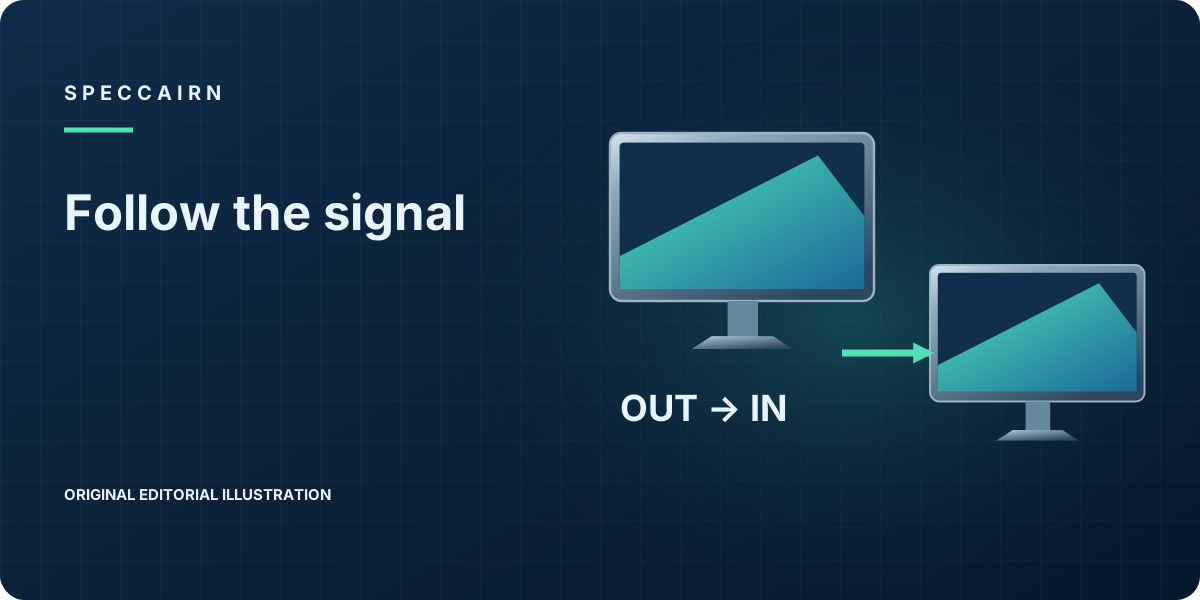
Connect the computer’s DisplayPort output to the monitor’s input. A forwarding monitor also needs a DisplayPort output for the next display; the last monitor can be input-only. These roles do not guarantee that your computer and displays support a working multi-screen chain.12
Input versus output at a glance
| Port role | What connects there? |
|---|---|
| Computer DisplayPort output | Cable to the first monitor’s input |
| Monitor DisplayPort input | Incoming signal from the computer or previous monitor |
| Monitor DisplayPort output | Cable to the next monitor’s input |
| Last monitor in the chain | Receiving input; no forwarding output is needed |
These directions follow VESA’s historical DisplayPort 1.2 daisy-chain explanation. “DP Out” is shorthand in this guide, not a claim about the printed label on your model.1 As a practical check, compare your manual’s port diagram with the socket you intend to use before moving cables.
A conditional signal-flow illustration
Original illustration, not a tested hardware combination:
- ComputerDP OUTsends the signal
- Monitor 1DP INDP OUTreceives, then forwards in a supported MST chain
- Monitor 2DP INreceives; needs its own DP OUT only if another display follows
Conditional DisplayPort MST chain: computer output to Monitor 1 input; Monitor 1 forwards from its output to Monitor 2 input. The source, OS and displays must support the intended chain. This is an illustration, not a tested setup.
VESA’s historical guidance requires the monitors in the middle of this DisplayPort 1.2 chain to be daisy-chain capable; it allows the last display to be an older DisplayPort 1.1 input-only monitor. A version number by itself is not a promise that a particular product implements MST forwarding.3
Check capability before changing settings
VESA’s May 2013 marketing guidelines describe a Multi-Stream-capable DisplayPort source as a requirement for daisy-chain operation. VESA also explains that the graphics hardware’s supported display count and the connection’s capacity constrain the arrangement.2
For your own setup, check the computer maker’s documentation for the intended output and operating system, then each forwarding monitor’s manual. If that manual requires an MST or DisplayPort setting, follow its exact instructions. This is SpecCairn’s troubleshooting guidance, not a universal menu path or a claim about a named monitor’s default setting.
If a downstream screen remains blank, check output-to-input wiring and input selection against the manuals. Reduce the chain while troubleshooting so there are fewer connections to investigate. A changed result is an observation, not proof that a particular socket is defective.
Do not assume operating-system support
Before buying another display, confirm that your computer’s graphics output and operating system support the intended independent-screen arrangement. The cited VESA requirement establishes the need for a Multi-Stream-capable source; it does not establish current operating-system support or the behavior of a particular connection product. Those questions require exact computer and display documentation.
FAQ
Can I plug the computer into the monitor’s DP Out?
For the native DisplayPort chain described here, use the receiving input. The monitor output serves the next downstream display.1
Do both monitors need an output?
Only a monitor forwarding video to another display needs the forwarding output. The final monitor can be input-only within VESA’s described arrangement.3
Does a DisplayPort 1.2 label guarantee MST forwarding?
No. VESA’s 2013 guidelines distinguish optional features: the version label alone does not specify which are supported. Check the exact model’s MST/daisy-chain feature description.3
Scope
Based on historical VESA DisplayPort 1.2-era guidance and May 15, 2013 guidelines, rechecked October 26, 2026. No current OS support, universal display count, resolution, refresh rate, specific monitor menu, or physical compatibility test is claimed. No manufacturer artwork or logo is reproduced.

Scope: Historical VESA DisplayPort architecture only; no current OS or named-model compatibility, menu default, resolution or display-count promise.
Sources and reference notes
- VESA DisplayPort: Driving Multiple Displays from a Single DisplayPort Output. Paragraphs beginning Daisy chaining; When configuring; The above are just examples. Scope: Historical DP 1.2-era VESA explanation; no exact device port-label or current OS claim. Source passages checked 2026-10-26; application guidance is SpecCairn’s own.Scope: VESA DP 1.2-era explanation (undated) and Marketing Guidelines v1.1, 2013-05-15; rechecked 2026-10-26, not a current-standard or OS-support verification. Back to text
- VESA DisplayPort: Driving Multiple Displays from a Single DisplayPort Output. Paragraph beginning When configuring a daisy chained monitor setup. VESA DisplayPort Marketing Guidelines, Version 1.1, May 15 2013. Printed p.12: Multi-Stream capable source; printed p.28: Daisy-Chain output source requirement. Scope: Historical May 2013 source requirement; OS and exact product support must be checked independently. Source passages checked 2026-10-26; application guidance is SpecCairn’s own.Scope: VESA DP 1.2-era explanation (undated) and Marketing Guidelines v1.1, 2013-05-15; rechecked 2026-10-26, not a current-standard or OS-support verification. Back to text
- VESA DisplayPort: Driving Multiple Displays from a Single DisplayPort Output. Paragraphs beginning Daisy chaining; When configuring; The above are just examples. VESA DisplayPort Marketing Guidelines, Version 1.1, May 15 2013. Printed p.9: Information regarding the use of DisplayPort 1.2 to identify device capabilities. Scope: Historical architecture; no universal MST menu, default setting or modern product-feature guarantee. Source passages checked 2026-10-26; application guidance is SpecCairn’s own.Scope: VESA DP 1.2-era explanation (undated) and Marketing Guidelines v1.1, 2013-05-15; rechecked 2026-10-26, not a current-standard or OS-support verification. Back to text
Found an error? See the corrections process.